LinkedIn is the place to not only find others but also to be found. And that is why you need a profile that helps you get found and then entices people to contact you once they view it. Way too many people make fundamental mistakes that work against them on both counts. If you’re going to spend time putting together a profile, I assume you want to maximize your chances of being contacted by the right people, right?
Working with corporate clients, I developed a 100-point LinkedIn profile audit that scores 20 different areas of a profile, and year after year, the same weak spots show up. As the author of Maximizing LinkedIn for Business Growth and and someone who has taught social selling and social media marketing at Rutgers Business School for over a decade, I can tell you the gap between an invisible profile and one that generates real opportunities usually comes down to the 17 items below. Each tip includes the mistake it fixes, because knowing what you’re doing wrong is half the work.
If you’re starting completely from scratch, my walkthrough on how to create a LinkedIn profile covers setup step by step. This post is for everyone who already has a profile and wants it to perform. And if you’re a student, I have LinkedIn profile advice for college students written just for you.
Key Takeaways
? Your profile is an inbound marketing tool, not a resume. Every search, comment, and post on LinkedIn links back to your profile, so build it to convert visitors into conversations.
? Visuals earn the first look: a custom background photo and a public, professional headshot separate you from the majority of profiles that skip both.
? Search visibility is built from specific fields: your headline, industry, custom URL, and connection count determine how often you appear in results at all.
? Completeness is credibility: every past company, school, job description, volunteer role, and accomplishment you list is another way someone from your past or future can find you.
? Social proof closes the deal: curated skills, managed endorsements, and at least three recommendations tell strangers you are exactly who your profile says you are.
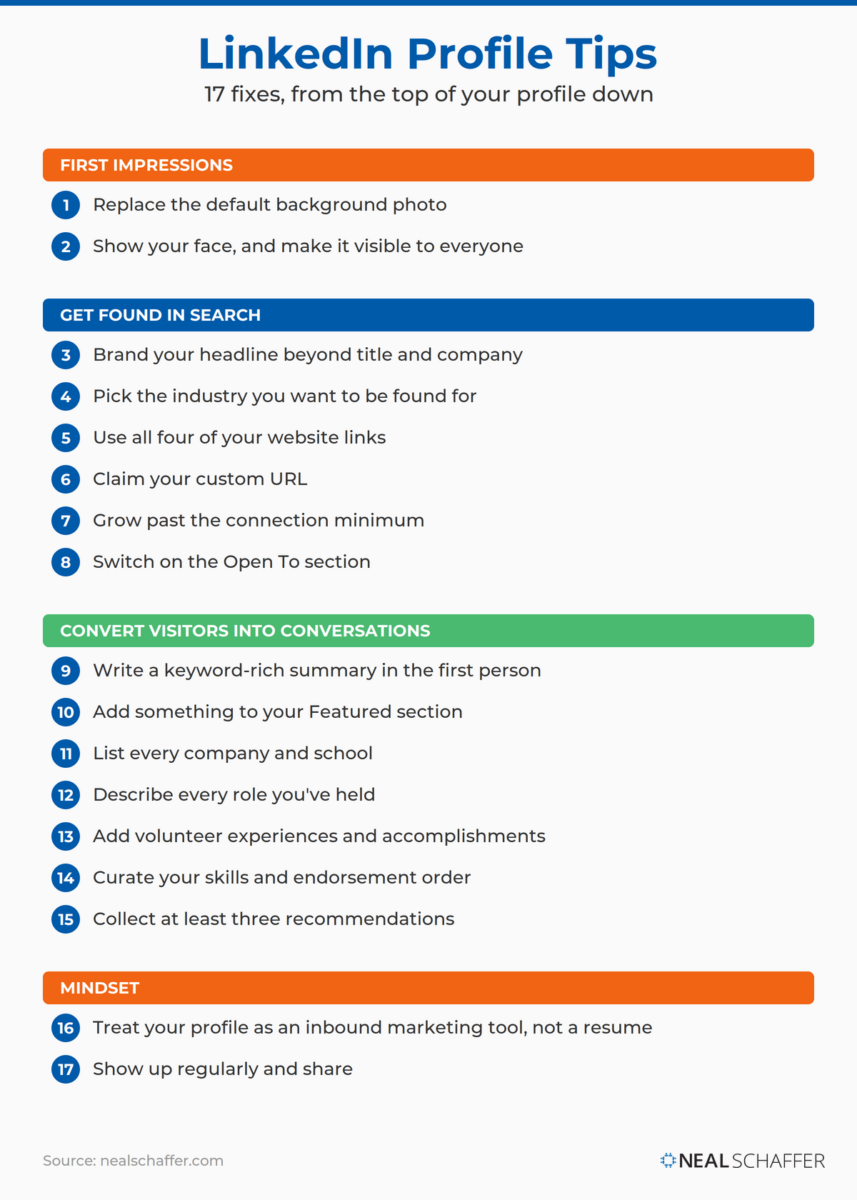 All 17 LinkedIn profile tips in the order a visitor experiences your profile: visuals first, then the fields that control search, then the sections that convert, then the mindset that ties it together.
What Visual Elements Make Your LinkedIn Profile Stand Out?
The two visual elements that determine whether your LinkedIn profile gets a second look are your background photo and your headshot. Most profiles use the default blue banner and many hide or don’t take their photo seriously enough, so getting these two right immediately separates you from the majority of professionals you compete with.
1. Replace the default background photo
Most LinkedIn users are still running the standard background image, and this is a huge mistake. A custom background sets you apart from the crowd before anyone reads a word. People are visual creatures. They remember what they see more than what they read, which means a custom photo can grab someone’s attention and keep it. If there is ONE thing you want to promote about yourself or your business visually, this is the place. I keep a collection of LinkedIn background photo ideas if you need inspiration.
2. Show your face, and make it visible to everyone
There are too many fake profiles on LinkedIn, so you want to show that you are real. According to LinkedIn’s own help documentation, members with a profile photo receive up to two times more profile views than those without one. Company logos and pet photos have no value here.
And check one setting while you’re at it: LinkedIn lets you restrict your photo so only your network can see it, which in essence makes you invisible to everyone outside it. The mistake isn’t always a missing photo. Sometimes it’s a hidden one. If your current headshot isn’t working, my advice on the LinkedIn headshot covers what to wear and how to pose, and there are solid AI LinkedIn headshot tools if you’d rather generate one than book a photographer.
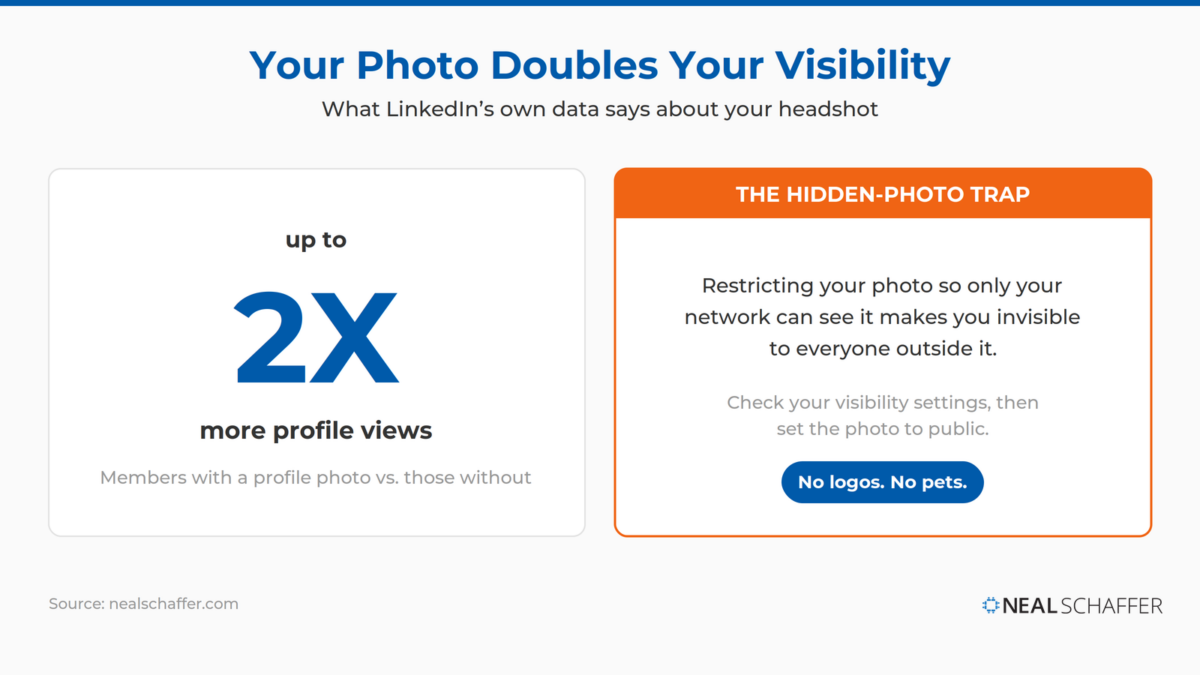 LinkedIn reports that members with a profile photo receive up to two times more profile views, but the photo only works if everyone can see it. Check your visibility settings before assuming you’re done.
Which Profile Fields Control Your LinkedIn Visibility?
What gets you found in LinkedIn search are the keyword fields: your headline, your industry, and deeper in your profile, your About section, your job descriptions, and the content you publish. The other fields in this section pay off after you are found. Websites and a custom URL give people somewhere to go, more connections widen your second-degree visibility, and Open To signals availability. Tips 3 through 8 cover them in order.
| Profile field | What it affects |
|---|
| Headline | Feeds search and decides whether searchers click |
| Industry | Which filtered searches include you |
| Websites | Where people go after they find you |
| Custom URL | Memorability and shareability once found |
| Connections | Second-degree visibility through mutual connections |
| Open To | Signals availability to people already viewing you |
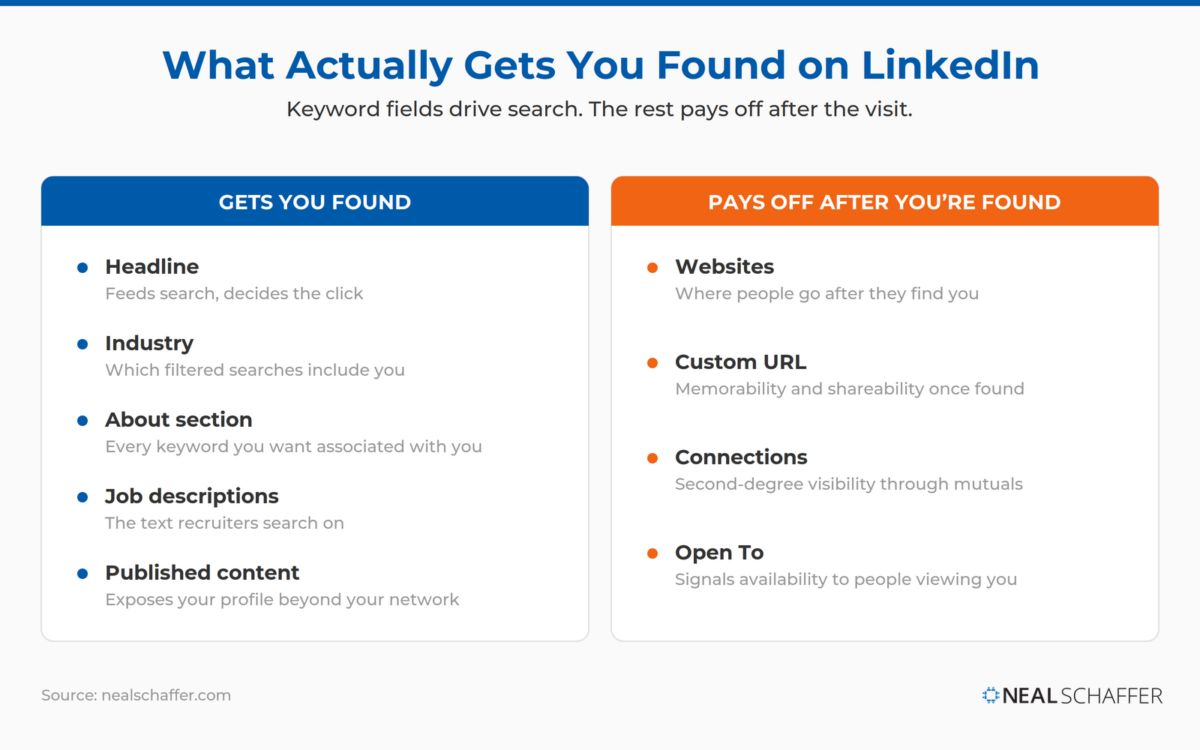 Only the keyword fields, your headline, industry, About section, job descriptions, and published content, actually drive LinkedIn search. Websites, your custom URL, connections, and Open To do their work after someone finds you.
3. Brand your headline beyond title and company
See that space underneath your name? That is your professional headline, and it appears in search results next to your name and everywhere else on LinkedIn. It is your elevator speech in a few words. Are you just putting your title and company name there? Don’t. Viewers can already see that in your profile. Your headline is the single most important piece of real estate you have, and the mistake of leaving it as “Title at Company” wastes it. Tell people how you help them instead. These LinkedIn headline examples show what strong branding looks like in practice.
4. Pick the industry you want to be found for
When you complete your profile, next to your location you also choose your industry. Choose carefully. This field becomes a visible part of your branding, and it also determines which searches you appear in, because Industry is a popular search filter. Think about the industry your ideal contact would filter by. That may differ from the one on your business card.
5. Use all four of your website links
LinkedIn actually gives you four places to send people. The one most professionals miss is the featured link: in your intro editor, the Website field puts one clickable link with custom text right at the top of your profile, no Premium required. Point it at your highest-value destination, a lead magnet, a booking page, or your newsletter, and give it action-oriented link text. Premium members can upgrade it to a custom button that also follows you into search results, messages, and posts. Then fill the other three slots in your Contact info section: a company site, a social profile, a side hustle, anything you want associated with yourself. Those three only appear when someone clicks Contact info, which is one more reason the featured link at the top does the heavy lifting.
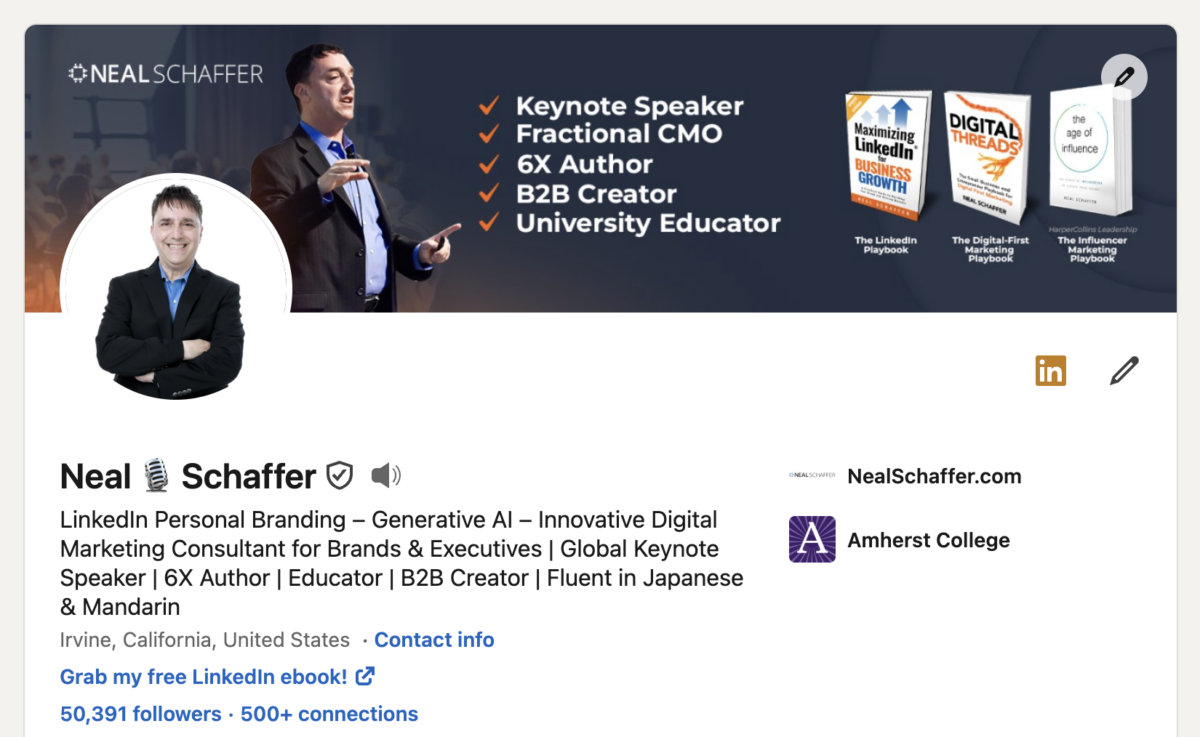 My own intro section puts the advice from tips 1 through 5 in one place: a branded background, a public headshot, a headline that goes well beyond a job title, and a featured ebook link doing the heavy lifting at the top.
6. Claim your custom URL
When you sign up, LinkedIn assigns you a public URL full of random characters, and you can customize it when you edit your profile. Claiming your name here is one of the first things you should have done on LinkedIn. For instance, I can memorize my LinkedIn profile URL, www.linkedin.com/in/nealschaffer, because I customized the last text to “nealschaffer.” If you have a common name, claim your URL before someone else does. The full steps are in my post on why and how to change your LinkedIn URL.
7. Grow past the connection minimum
This is a topic for debate, but way too many people have too few connections, and thus are not getting found. The idea is simple: when you do a search, you see results from your network, and vice versa. And the more mutual connections you share with people, the more often you surface as a second-degree connection in their world, pure and simple. And part of the value of social media is connecting with and learning from people you don’t know. If you don’t know who to invite, I share ways to get more LinkedIn connections as well as some LinkedIn super connectors worth knowing. Feel free to send me a LinkedIn invite as well!
8. Switch on the Open To section
LinkedIn lets you add targeted messaging near the top of your profile signaling your availability: hiring, finding a new job, volunteering, and on some accounts, providing services. The options vary by account, and once you switch one on, it moves out of the dropdown and onto your profile as a visible card. On my own profile, the volunteering signal is live, so my dropdown now only offers hiring and finding a new job. This section isn’t for everyone, but if one of those signals describes you and you haven’t switched it on, you’re hiding your availability from the exact people searching for it.
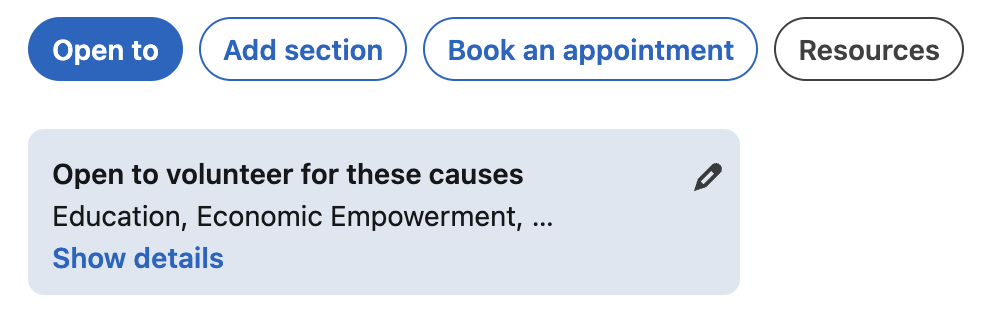 What a switched-on Open To signal looks like: my volunteering card sits live on my profile, which is exactly why it no longer appears as an option in my dropdown.
Once someone clicks through to your profile, the sections that convert a visitor into a conversation are your summary, your Featured section, your experience history, your volunteer work and accomplishments, your skills, and your recommendations. Visibility gets you the visit. These sections, tips 9 through 15, earn you the message.
9. Write a keyword-rich summary in the first person
Assuming someone finds you in a search result and likes your headline, the next most important part of your profile is your summary. This is your chance to fully brand yourself and make sure every keyword you want associated with you appears here, written compellingly, the way you would write the executive summary of a resume.
And write it in the first person. On a recent episode of my podcast Your Digital Marketing Coach, I called the summary out as “an area where a majority of people fail on”: most professionals either write nothing or stop after a sentence or two, and they miss the impact this section has on the entire profile. Instead of “Neal Schaffer is an accomplished marketing executive…”, write “I have worked with a dozen innovative brands on their digital transformation projects…”. Readers connect with the first person as if they were listening to you speak.
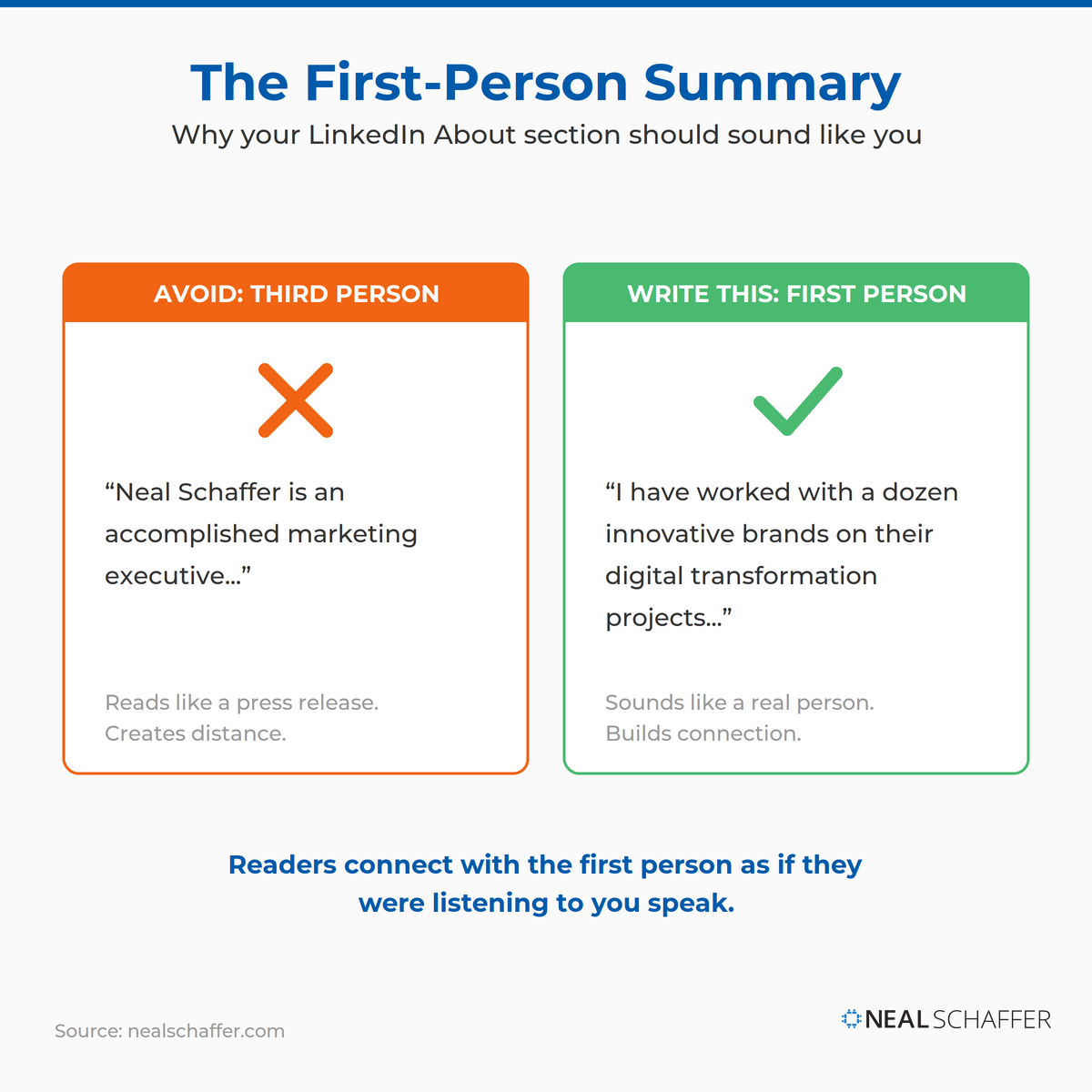 The same professional, two very different summaries. Write your About section in the first person and visitors read it as if you were speaking to them.
These LinkedIn summary examples show the difference in action.
10. Add something to your Featured section
LinkedIn has always let you attach multimedia to your profile, and the dedicated Featured section now puts it front and center. The exact content you choose matters less than simply having something there. Multimedia encourages visitors to stay longer, dig deeper into your experience, and get a feel for your personality. Audio, video, a slideshow, a strong post: all of it keeps people engaged and sets you apart from the empty-Featured majority.
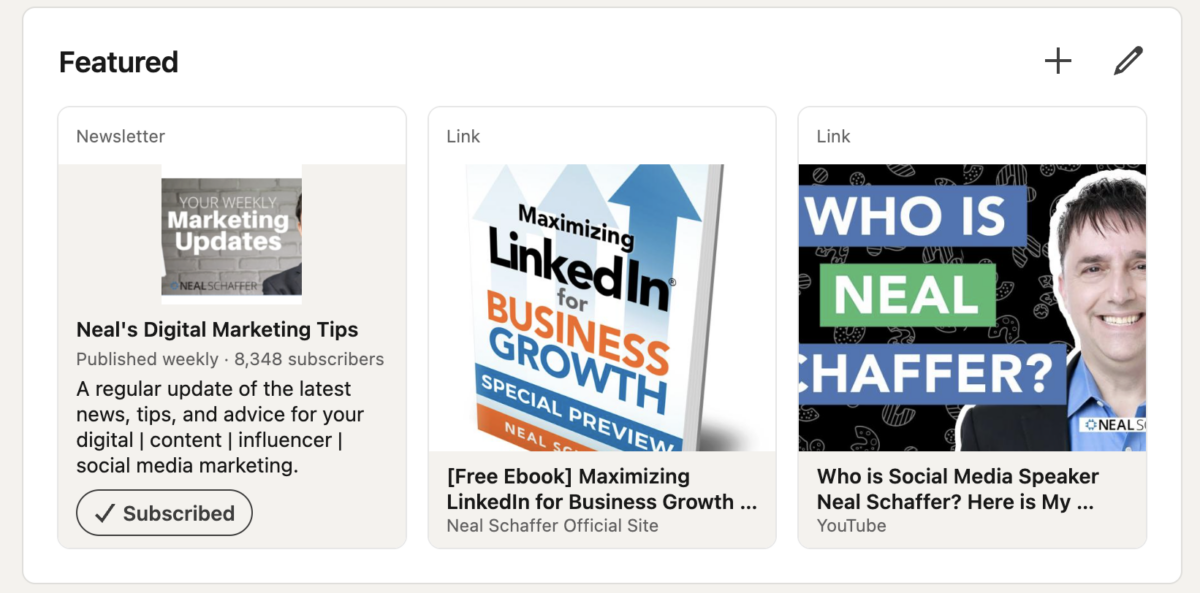 My own Featured section mixes a weekly newsletter, a free ebook link, and a YouTube video. The variety matters less than the fact that none of these slots sit empty.
11. List every company you worked at and every school you attended
One of the ways you get found is through searches on company names and schools. If you only list your current company, or skip your university, you are invisible to those searches. Check this out: I did my junior year of college abroad in Beijing many moons ago, and I had been out of touch with all of the 15 or so Americans who were there that year. Two of those 15 have found me on LinkedIn! Another high school friend I lost touch with found me recently. None of that happens if I don’t list my junior year abroad school and my high school on my profile. Companies matter even more, because former colleagues are exactly the people who want to network with you again.
Turn LinkedIn Into a Real Growth Channel
My latest book helps professionals, entrepreneurs, and business owners turn LinkedIn from a static profile into a real source of clients and growth.
Maximizing LinkedIn for Business Growth gives you clear, practical steps to build a profile that gets noticed and a network that actually sends business your way.
Grab your copy on Amazon and put it to work this week. Click the cover or the button below to get started.
12. Describe every role you’ve held
Even if you’ve listed every position and title, it means nothing without job descriptions. Descriptions are the perfect opportunity to pepper your profile with the keywords that help you get found, and recruiters search on exactly this text. Leaving them blank drops you out of results you’ve already earned.
13. Add volunteer experiences and showcase your accomplishments
Volunteer experiences demonstrate who you are, what you care about, and how you spend your time benefiting others. They make you more relatable as a human being, and that sets you apart from competitors who skip them.
And LinkedIn is not the place to practice humility. The platform has an entire Accomplishments area with presets for publications, patents, courses, projects, honors and awards, test scores, languages, and organizations. If you were showered with awards at one of your positions, let people know. Each entry is another reason for someone to get in touch and another way to stay on their radar.
14. Curate your skills, then manage your endorsement order
LinkedIn often pre-populates your Skills section through AI, and if you’re not managing it, you might not be represented by the skills you actually want to be known for. According to the UK’s National Careers Service, you can list up to 50 skills, and adding at least five is what gets you appearing in skills-based searches. Take control and choose deliberately.
Then manage the order. When people endorse you, they usually start with whatever sits at the top, so put your highest-priority skills there and get endorsed for the right things instead of skills that stopped mattering years ago.
15. Collect at least three recommendations
This one works like your photo: it proves you are real. LinkedIn used to require three recommendations just to reach 100% profile completeness, and the logic still holds. Recommendations add credibility to the experience you claim, and going years without a single one quietly sends a red flag to people considering doing business with you. If you’re not sure how to ask, my post on how to write a recommendation on LinkedIn covers both sides of the exchange, and these LinkedIn recommendation examples show what strong ones look like.
How Should You Think About Your LinkedIn Profile Overall?
Your LinkedIn profile is an inbound marketing tool, not an online copy of your resume. Every search result, comment, and post on LinkedIn carries a link back to your profile, so the professionals who win treat it as a destination they are constantly driving traffic to, then show up often enough to keep that traffic coming.
This mindset shift is critical. Resumes are targeted documents, written narrowly for a specific person or department. Your profile is the opposite: a wide-audience tool that should offer personality, range, and reasons to connect. On that same podcast episode, I made the point that your LinkedIn profile is almost like your second website, and for most professionals who never build a site of their own, it is the default website, period. Every invitation you send, every comment you leave, every post you publish carries a link back to it. Treat it accordingly.
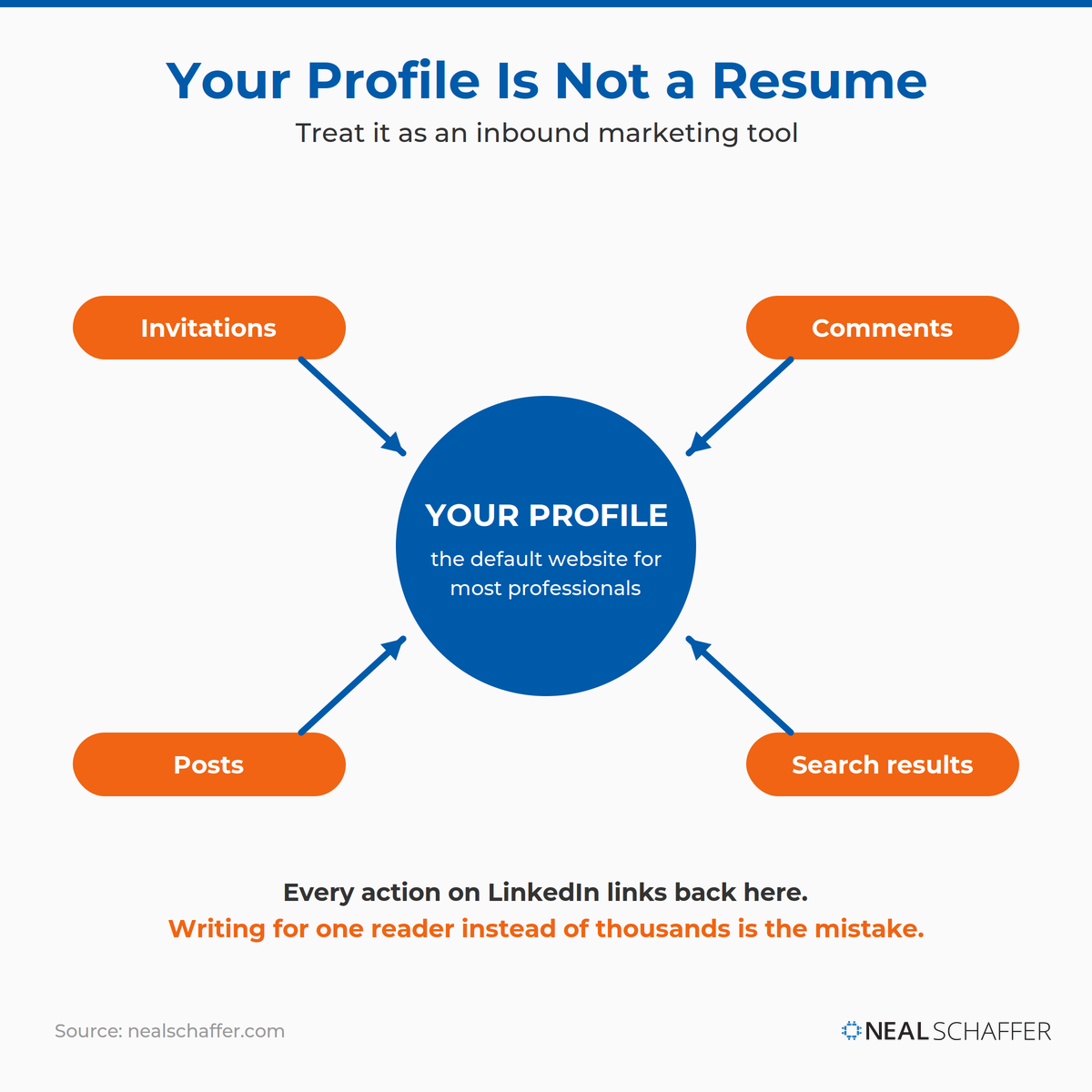 Every invitation, comment, post, and search result on LinkedIn carries a link back to your profile. Build it for the thousands who will land on it, not the one reader a resume targets.
You can see how much of the platform’s activity ultimately routes through profiles in my roundup of LinkedIn statistics.
17. Show up regularly and share
A perfect profile that nobody maintains still goes stale. Get into the habit of checking your feed, engaging with your network through likes and comments, and publishing your own updates: questions, industry news, what you’re working on, introductions you’re looking for. Engagement keeps you on the radar of your connections and exposes your profile to theirs. A little goes a long way.
| # | Tip | The mistake it fixes |
|---|
| 1 | Replace the default background photo | Blending in with the default blue banner |
| 2 | Show your face publicly | No photo, or a photo hidden from non-connections |
| 3 | Brand your headline | “Title at Company” and nothing else |
| 4 | Pick your target industry | Displaying an industry your audience never filters by |
| 5 | List all three websites | Leaving free SEO and visibility on the table |
| 6 | Claim your custom URL | A public URL full of random characters |
| 7 | Grow your connections | Too few connections to appear in searches |
| 8 | Switch on Open To | Hiding your availability from people looking for it |
| 9 | First-person, keyword-rich summary | An empty, thin, or third-person About section |
| 10 | Fill your Featured section | A blank space where your best work should be |
| 11 | List every company and school | Being unfindable by your own past |
| 12 | Describe every role | Blank job descriptions that drop you from results |
| 13 | Add volunteer work and accomplishments | A profile with no human dimension |
| 14 | Curate skills and endorsement order | AI-populated skills you never chose |
| 15 | Collect three or more recommendations | Zero social proof after years on the platform |
| 16 | Think inbound tool, not resume | Writing for one reader instead of thousands |
| 17 | Show up and share | A perfect profile nobody ever sees |
Frequently Asked Questions About LinkedIn Profile Tips
What is the most important part of a LinkedIn profile? Your professional headline. It appears next to your name in every search result, comment, and post, which makes it the most-seen piece of real estate you own on LinkedIn. A headline that communicates how you help people, rather than just your title and company, is the single highest-impact improvement most professionals can make.
How do you make your LinkedIn profile stand out? Start with the visuals: a custom background photo and a professional, publicly visible headshot already separate you from most profiles. Then brand your headline beyond your job title, write your summary in the first person with your strategic keywords, and pin your best work in the Featured section.
Why is my LinkedIn profile not getting views? Usually because the fields that feed LinkedIn search are underbuilt. A generic headline, the wrong industry selection, missing job descriptions, and a small connection count all reduce how often you appear in results. Fix those first, then stay active, since engagement exposes your profile to people beyond your network.
How many skills should you list on LinkedIn? You can list up to 50, and you should add at least five to start appearing in skills-based searches. Choose the skills you want to be known for rather than accepting what LinkedIn pre-populates, and order them so your most strategic skills sit at the top where endorsements accumulate first.
Should your LinkedIn summary be written in first or third person? First person, always. Readers experience a first-person summary as if they were listening to you speak, which builds connection. Third-person summaries read like press releases and create distance. Open with who you help and how, support it with your keywords, and end with a way to reach you.
Put These LinkedIn Profile Tips to Work Today
You don’t need to fix all 17 items this afternoon. Start at the top of your profile and work down the same way a visitor would: background photo, headshot, headline, then your summary. Those four alone move you ahead of the majority. Then schedule an hour next week for the deeper sections, your experience history, skills, and recommendations, and make showing up part of your routine rather than a quarterly cleanup.
A strong profile is the foundation, and what you build on top of it determines the business results. If you want the complete playbook for turning your presence into pipeline, the broader set of LinkedIn best practices is the next thing to read, and you can download a free preview of Maximizing LinkedIn for Business Growth for the full system I teach my clients.
Actionable advice for your digital / content / influencer / social media marketing.
Join 13,000+ smart professionals who subscribe to my regular updates.