Pinterest keywords determine whether your content gets discovered or disappears into the void. Most businesses treat Pinterest like Instagram—tossing up pretty images with random captions and hoping for the best.
That’s not how this platform works.
Pinterest operates as a visual search engine where users actively search for solutions, ideas, and products. They’re not scrolling through friends’ vacation photos—they’re typing queries to solve specific problems or find inspiration.
Your success depends entirely on understanding how people search, what terms they use, and where you place those keywords across your profile, boards, and pins.
This guide shows you how to use Pinterest’s own tools to discover high-performing keywords, understand the difference between pillar and longtail keywords, and place them strategically for maximum visibility. You’ll also learn why Pinterest keyword research differs from other platforms and avoid the biggest mistakes that kill your visibility.
By the end, you’ll have a repeatable system for finding and using Pinterest keywords that actually drive traffic.
Quick Start: Pinterest Keyword Research in 5 Steps
Short on time? Here’s your fast-track to Pinterest keyword success:
- Find seed keywords: Type your main topic in Pinterest search bar, note autocomplete suggestions
- Expand with guided search: Click through search bubbles to find longtail variations
- Check Pinterest Trends: Verify search volume and identify seasonal patterns
- Place keywords strategically: Profile ? Boards ? Pin titles ? Pin descriptions (in that order)
- Track performance: Monitor Pinterest Analytics weekly, double down on what works
For the complete strategy, keep reading ?
What Are Pinterest Keywords and Why They’re Different
Pinterest keywords are search terms users type to find ideas, products, and solutions on the platform. Unlike social media hashtags that categorize content, Pinterest keywords function like search engine queries.
Pinterest indexes keywords from:
- Profile descriptions
- Board titles and descriptions
- Pin titles and descriptions
These locations feed Pinterest’s algorithm with signals about what your content offers.
Why Pinterest Keywords Are Unique
What makes Pinterest keyword research different is user intent. People come to Pinterest at the beginning of their research journey—planning weddings, remodeling kitchens, or exploring business strategies months before making purchases.
When someone searches “home office ideas” on Pinterest, they’re open to discovering new solutions. On Google, that same search often indicates they’ve already decided what they want.
The key: Match your content to early-stage searches. You’re not competing for “buy now” keywords—you’re capturing attention during inspiration and planning phases.
Pillar Keywords vs Longtail Keywords
Pillar keywords are broad, high-volume terms, usually one to two words like ‘Pinterest marketing‘ or ‘Pinterest strategy’. These keywords attract significant search volume but face intense competition.
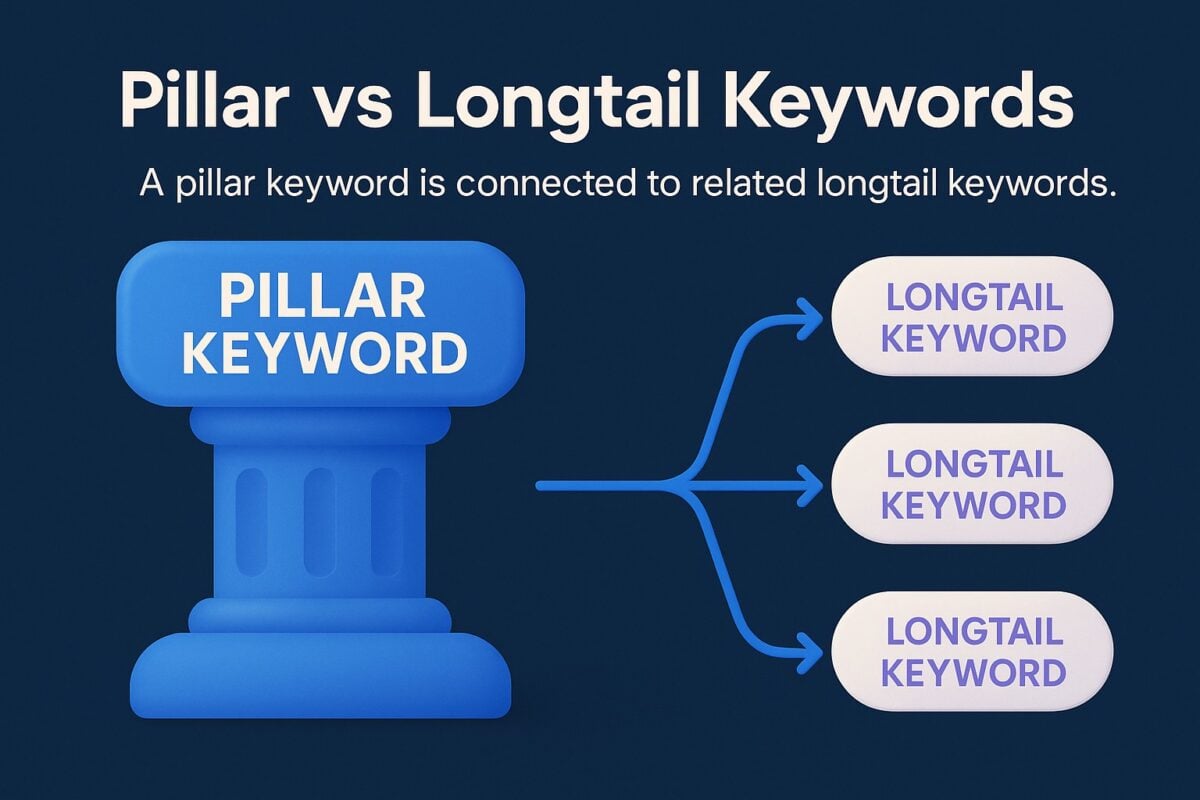
Longtail keywords extend pillar keywords with additional specificity. Instead of “Pinterest marketing,” you’d target “Pinterest marketing strategy and tips” or “Pinterest marketing for small businesses.”
Most successful Pinterest strategies use both types. Pillar keywords establish your broad topic area in board titles and profile descriptions. Longtail keywords capture specific searches in individual pin descriptions.
Think of pillar keywords as category labels and longtail keywords as product descriptions. You need both to build comprehensive visibility.
Pinterest’s business model depends on connecting users with relevant content quickly. When you optimize for Pinterest’s search algorithm, you’re working with the platform’s core function.
The algorithm rewards content that generates engagement. When users save your pins, Pinterest interprets this as a quality signal and shows your content to more people searching for related terms.
Trying to Keep Up with Digital Marketing?
Just released: my new book to help small businesses, entrepreneurs, and marketers master digital marketing in today’s digital-first world.
Drawing on my Fractional CMO experience, Digital Threads simplifies complex strategies into clear, actionable steps for success.
Transform your business today—grab your copy! Click the cover or button below to buy on Amazon.
Users typically start with broad searches, then refine based on results. This creates a discovery path where your optimized content can appear multiple times during a single research session.
How Pinterest Search Differs from Google
Pinterest searches focus on visual inspiration rather than information retrieval. Your keywords need to match this visual intent.
Search volume fluctuates seasonally more dramatically than Google. Wedding keywords peak during engagement season. Home organization surges every January. Holiday content performs months before actual dates.
Pinterest prioritizes fresh content more aggressively than Google. New pins with relevant keywords often outperform older content, giving newer accounts real opportunities to gain traction.
How to Find Pinterest Keywords Using the Search Bar
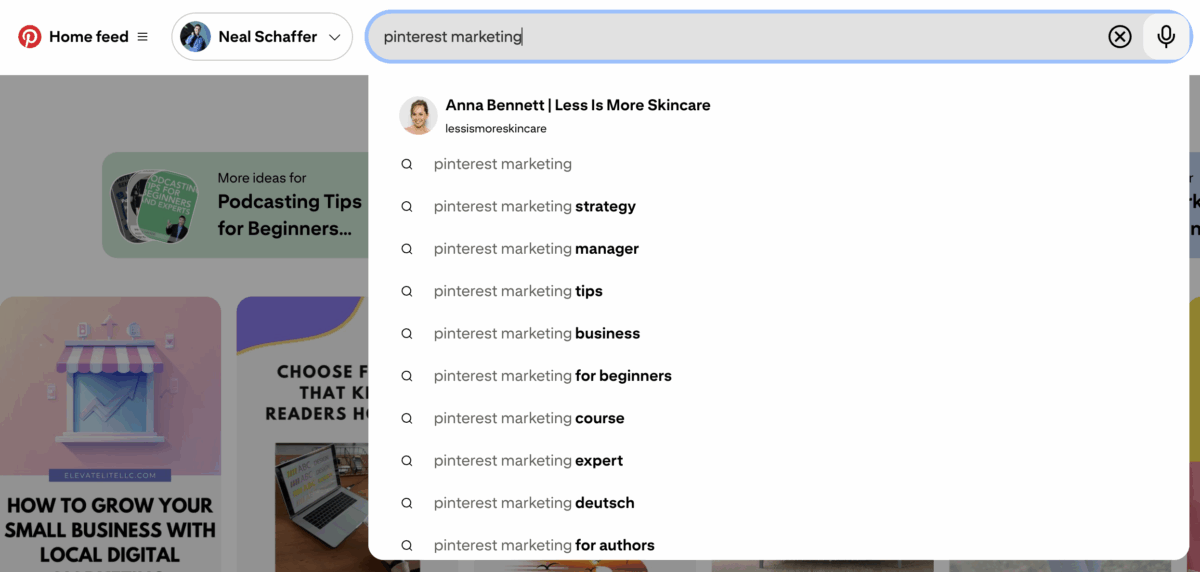
Start with the Pinterest search bar by typing a broad term to reveal autocomplete suggestions based on real user searches. These suggestions provide valuable seed keywords for your pin titles, descriptions, and board names.
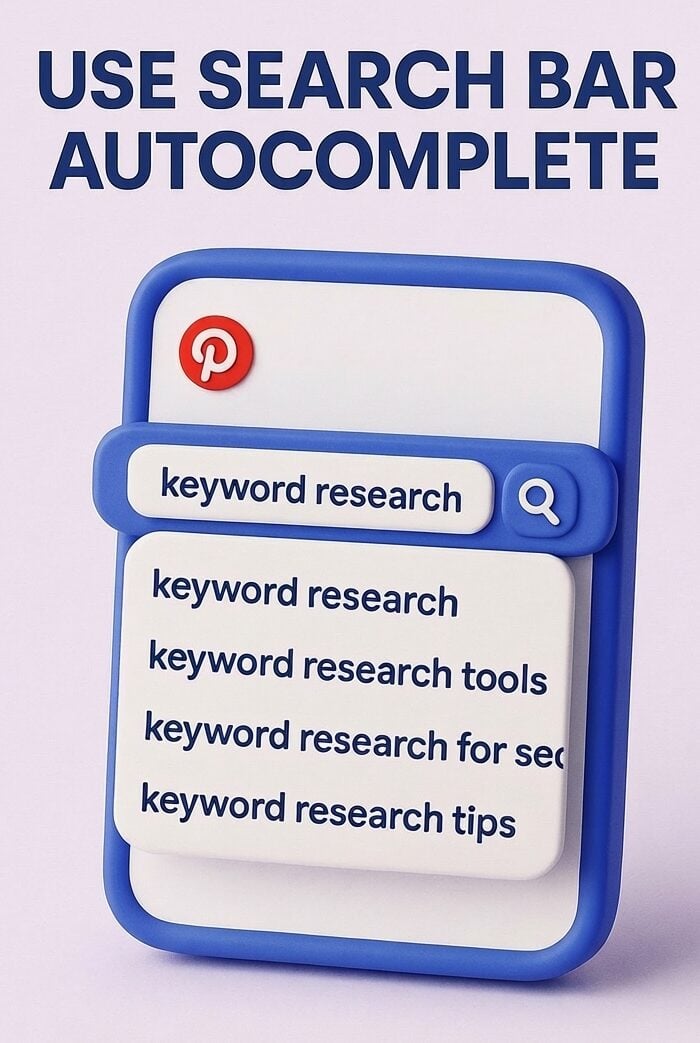
Type your main topic into the search bar, but don’t press enter yet. Watch the dropdown suggestions appear. Each suggestion represents actual searches from Pinterest users.
These suggestions change based on current trends, seasonal interests, and search volume. What appears in January might differ significantly from what shows up in June for the same starting term.
Document each suggestion. These represent proven search terms with existing demand. You’re not guessing what might work; you’re seeing what users actively search for.
Pro Tip: Keep a running document of autocomplete suggestions. These change based on seasons and trends, so check quarterly for new opportunities.
Using Guided Search for Keyword Expansion
After performing a search, Pinterest displays guided search bubbles beneath the search bar. These bubbles show related search refinements that users commonly add to their original queries.
Click through several levels of guided search. Each click reveals another layer of keyword specificity. A search for “meal prep” might show “meal prep for beginners,” then “meal prep for beginners vegetarian.”
This guided search path shows you exactly how users refine their searches. You can reverse-engineer this behavior by creating content that matches these specific search paths.
Take screenshots or notes at each level. You’re building a keyword map that shows the natural progression of user intent within your topic area.
Scroll through the search results for your main keywords. Look at the pin titles and descriptions that appear at the top. These pins rank well because they match Pinterest’s understanding of user intent for that query.
Notice patterns in how successful pins phrase their keywords. Do they use “DIY” or “homemade”? Do they include difficulty levels like “easy” or “beginner-friendly”? These modifiers matter.
Check the descriptions of top-performing pins. They often include related keywords you hadn’t considered. These represent terms that Pinterest associates with your main keyword.
Using Pinterest Trends for Keyword Research
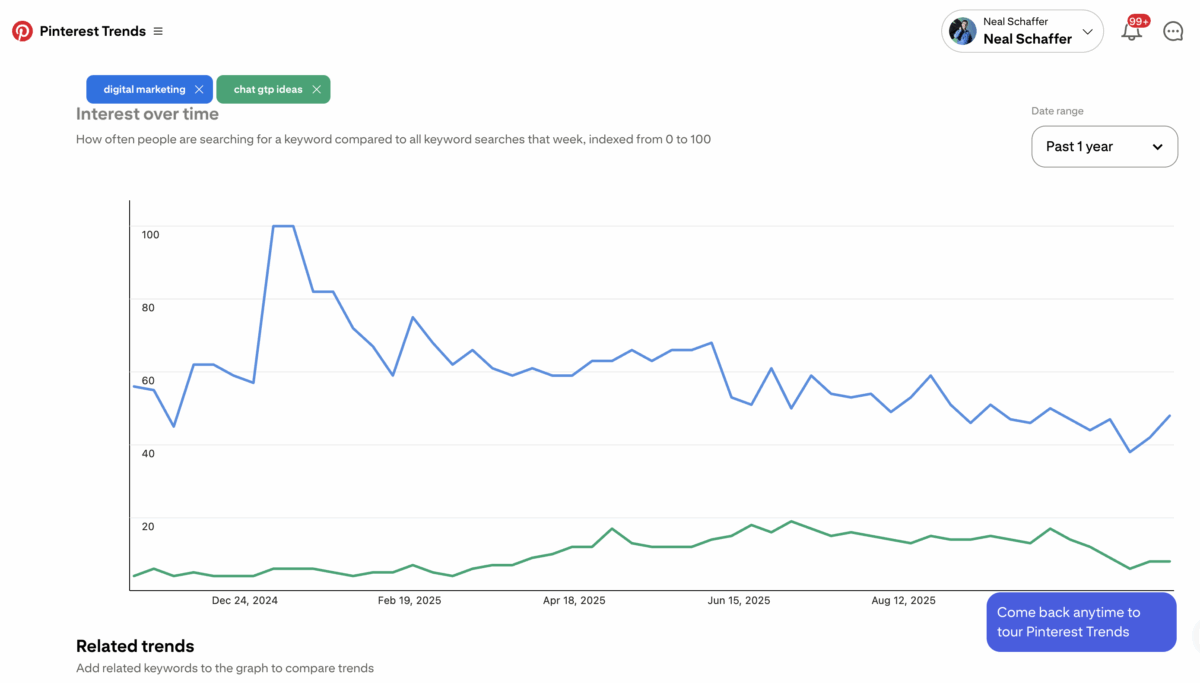
Pinterest Trends is a free tool that shows how keyword popularity changes over time. Access it through your Pinterest business account by visiting trends.pinterest.com.
Enter a keyword to see its search volume pattern over the past 12 months. The graph reveals seasonal peaks and valleys that should inform your content calendar.
The tool also shows related trending searches. These suggestions often reveal emerging topics before they become oversaturated with content.
Compare multiple keywords simultaneously. You can enter up to four terms to see which generates more consistent interest or which experiences stronger seasonal spikes.
Interpreting Trend Data for Content Planning
Rising trends indicate growing interest. Create content for these keywords early, before competition intensifies. Your pins gain authority as search volume increases.
Declining trends don’t necessarily mean poor keywords. Many topics decline from peak interest but maintain steady baseline searches. These keywords often face less competition while still attracting qualified traffic.
Seasonal peaks require advance planning. Create and publish content 45-60 days before the trend peaks. Pinterest needs time to index your content and build engagement signals.
Use demographic filters to see how trends vary across different audiences. A keyword might trend higher among certain age groups or geographic regions, helping you refine your target audience strategy.
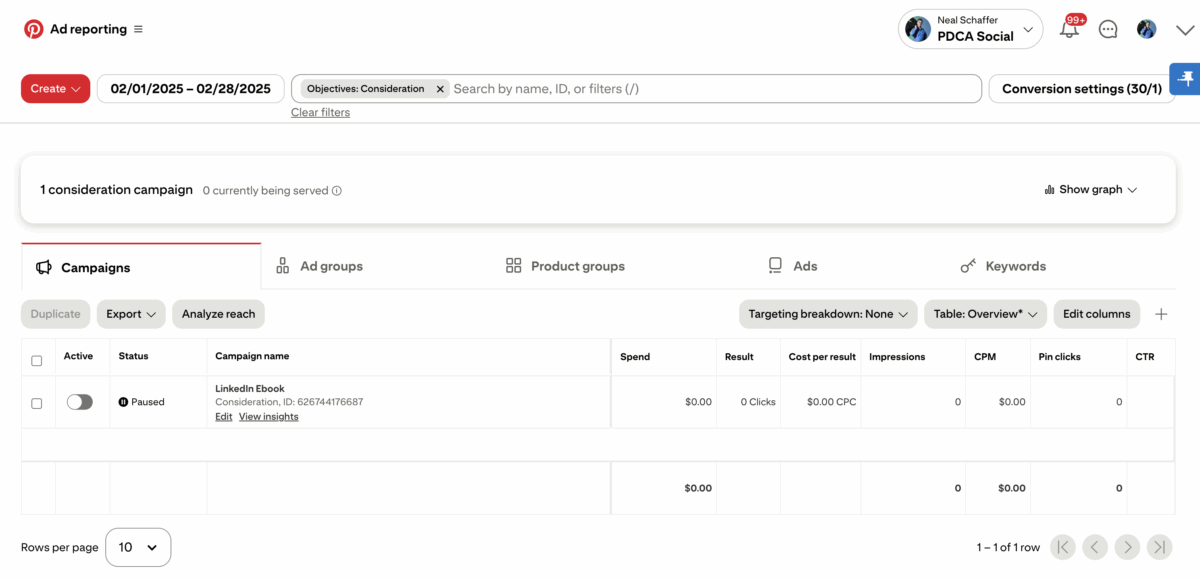
The Ads Manager keyword tool provides search volume data and suggested bid ranges even if you’re not running ads. Access it by creating a free business account and navigating to the Ads section.
Start creating an ad campaign, but you don’t need to publish it. The keyword targeting setup process reveals valuable research data about search volume and competition levels.
Enter your seed keywords in the keyword targeting field. Pinterest suggests related keywords with indicators showing relative search volume and competition intensity.
The tool categorizes suggestions by relevance. High-relevance keywords closely match your input. Lower-relevance suggestions might reveal unexpected angles you hadn’t considered.
Understanding Keyword Match Types
Pinterest Ads Manager uses four match types that inform your organic strategy:
- Broad match: Shows content for variations, related terms, and plurals
- Phrase match: Requires the exact phrase but allows additional words before/after
- Exact match: Targets only the precise keyword (highest relevance, lowest reach)
- Negative keywords: Prevents content from appearing in irrelevant searches
Focus on broad and phrase match keywords for organic strategy. Use exact match for your highest-priority terms.
Save suggested keywords to a spreadsheet as you explore the Ads Manager tool. You’re gathering intelligence about search behavior without spending money on campaigns.
The suggested bid ranges indicate competition levels. Higher suggested bids mean more advertisers compete for that keyword, often signaling commercial intent.
Look for keywords with moderate competition and clear relevance to your content. These “Goldilocks” keywords often perform better than obvious, high-competition terms.
Exit the ad creation process without publishing. You’ve extracted valuable research data that informs your organic Pinterest SEO strategy without committing to paid advertising.
Where to Place Keywords on Pinterest
Strategic keyword placement determines how effectively Pinterest’s algorithm connects your content with relevant searches. Each location carries different weight in the ranking algorithm.
Pinterest Keyword Placement Priority
| Location | Character Limit | SEO Weight | Best Practice |
|---|
| Profile Name | 30 chars | High | Include main pillar keyword |
| Profile Description | 160 chars | High | Primary keywords early |
| Board Titles | 50 chars | Very High | Clear, keyword-rich |
| Board Descriptions | 500 chars | High | Main keyword in first sentence |
| Pin Titles | 100 chars | Very High | Lead with primary keyword |
| Pin Descriptions | 500 chars | High | Keywords in first 75 characters |
Your profile name and description establish your account’s overall topic authority. Include your primary pillar keyword in your profile name if possible, and naturally incorporate related keywords in your 160-character description.
Board titles carry significant ranking weight. Use clear, keyword-rich titles that describe the board’s content. “Healthy Breakfast Recipes” outperforms creative but vague titles like “Morning Fuel.”
Board descriptions provide 500 characters to establish topical relevance. Include your main keyword early, then naturally incorporate related longtail variations throughout the description.
Optimizing Pin Titles for Search
Pin titles should lead with your primary keyword for that specific piece of content. The first 40 characters matter most because they appear in search results and feed views.
Keep pin titles descriptive and specific. “10 Easy Vegetarian Meal Prep Ideas for Beginners” performs better than “Amazing Food Ideas You’ll Love.”
Include modifiers that match how users search. Words like “easy,” “quick,” “beginner,” “cheap,” or “DIY” often appear in Pinterest searches and help your content match user intent.
Avoid clickbait or vague titles. Pinterest users want to know exactly what they’ll find when they click. Clear titles generate better engagement signals, which improves your overall account authority.
Writing Keyword-Rich Pin Descriptions
Pin descriptions support up to 500 characters. Write natural, search-friendly descriptions that incorporate your keywords rather than stuffing keywords unnaturally.
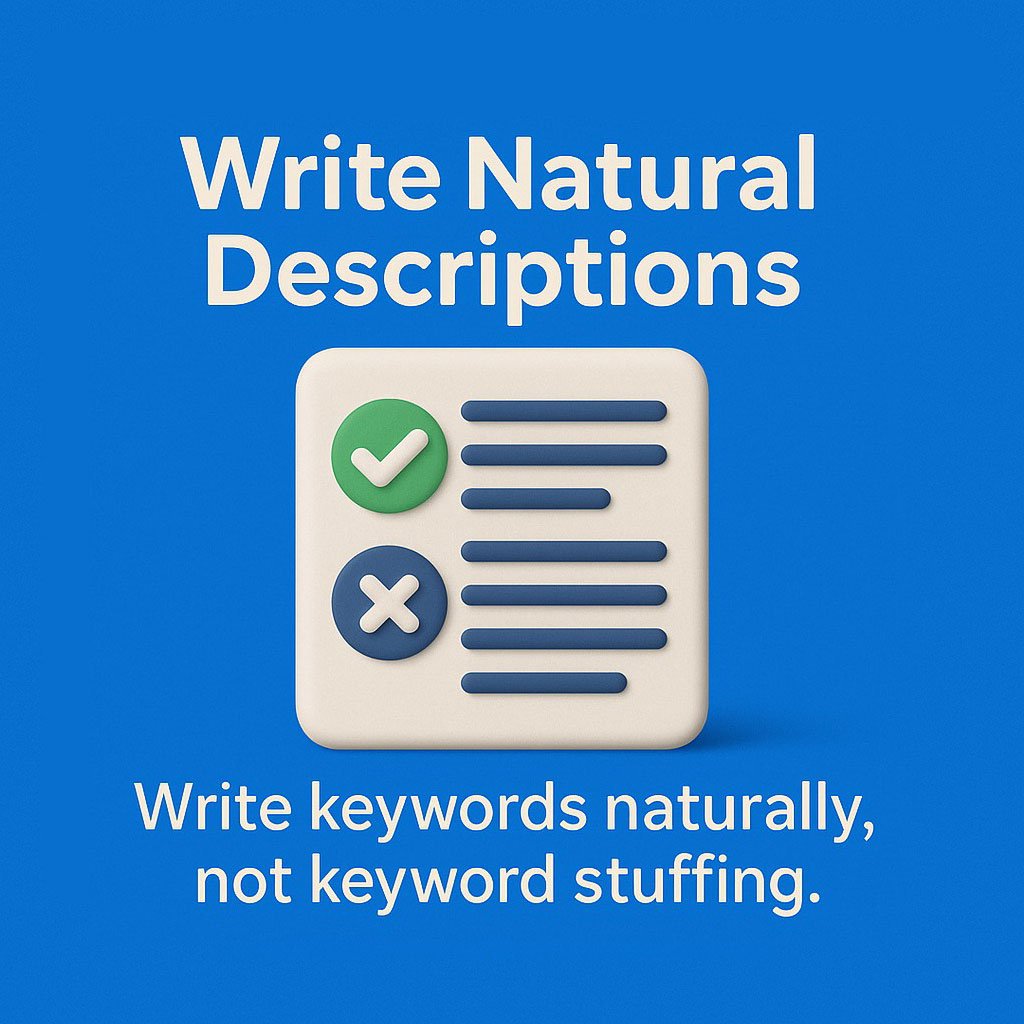
Place your most important keyword in the first sentence. Pinterest gives extra weight to keywords that appear early in descriptions.
Include 3-5 related keywords throughout the description. Use natural language that reads well to humans while providing clear signals to Pinterest’s algorithm.
Add a call to action at the end. Phrases like “Click to learn more” or “Save this pin for later” encourage the engagement signals that boost your visibility.
Organizing Your Pinterest Keyword Strategy
Successful Pinterest keyword research requires systematic organization. Without structure, you’ll lose track of which keywords you’ve targeted and which opportunities remain unexplored.
Create a keyword tracking system using a spreadsheet or organization tool. Document pillar keywords, related longtail variations, seasonal trends, and where you’ve used each term.
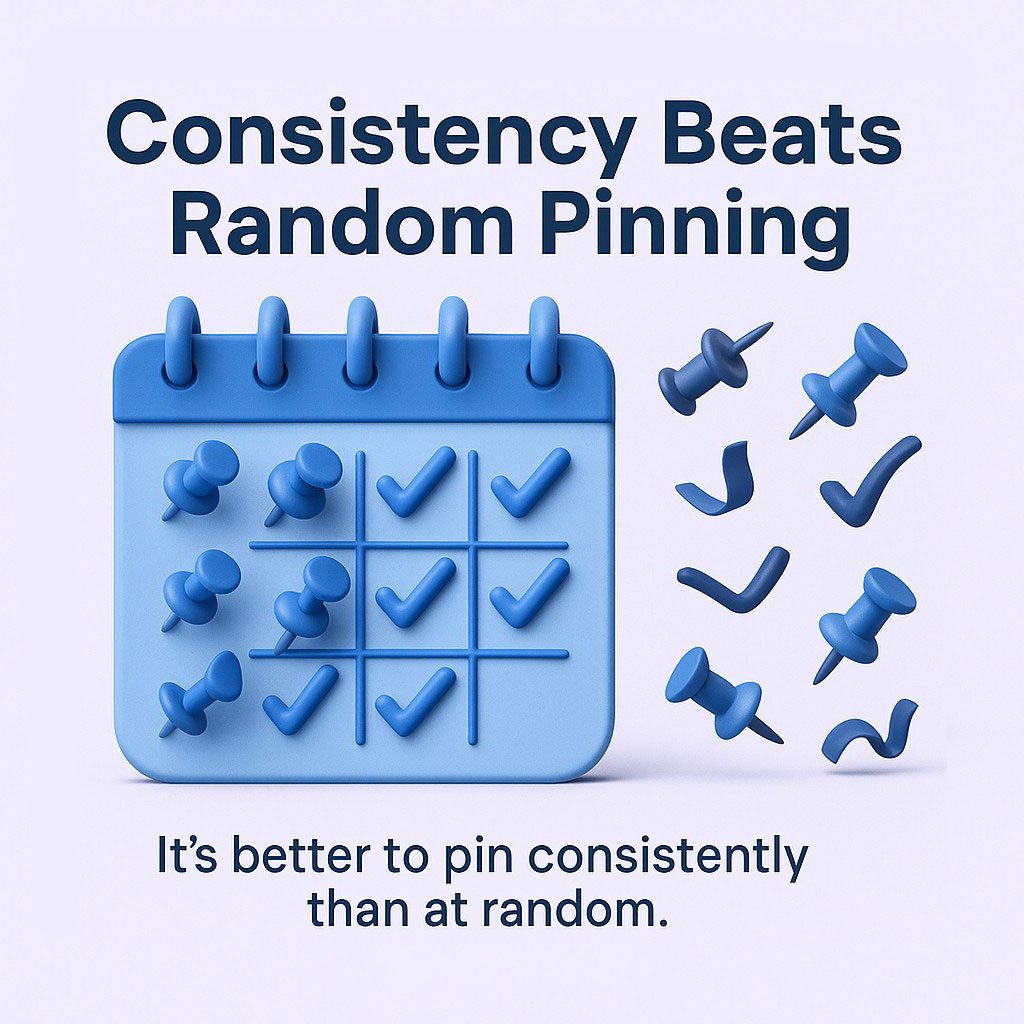
Consistent keyword optimization is more effective than random pinning. Focus on a clear board strategy and regular posting schedule to build authority and visibility.
Building a Keyword Hierarchy
Start with 3-5 pillar keywords that represent your main content categories. These become your board titles and profile description foundations.
Under each pillar keyword, list 10-15 longtail variations. These specific phrases guide individual pin creation and help you avoid keyword cannibalization.
Map keywords to content you already have or plan to create. This prevents gaps where you have great keywords but no corresponding content, or excellent content that lacks keyword optimization.
Update your keyword hierarchy quarterly. Search trends evolve, and your tracking system should reflect current opportunities rather than outdated research.
Pinterest Analytics shows which keywords drive traffic to your pins. Check your analytics weekly to identify patterns in what performs well.
Note which keyword-optimized pins generate the most saves, clicks, and impressions. These successful keywords deserve priority in future content creation.
Test variations of similar keywords. “Budget travel tips” and “cheap travel ideas” target similar audiences but might perform differently based on search behavior in your niche.
Document seasonal patterns. Keywords that perform well in specific months should trigger content creation 45-60 days before their peak season returns.
Pinterest SEO Strategy for Business Accounts
Business accounts access analytics and tools that personal accounts lack. Convert to a business account through Pinterest’s settings if you haven’t already.
Your business account type influences keyword strategy. E-commerce businesses prioritize product-focused keywords. Service providers target problem-solution keywords. Content creators focus on educational and inspirational terms.
Link your website to your Pinterest business account. This verification adds credibility and enables Rich Pins, which automatically pull information from your website to enhance pin displays.
Target Audience and Niche-Specific Keywords
Understanding your target audience’s search behavior is more valuable than pursuing high-volume keywords outside your niche. A small business selling handmade jewelry benefits more from “handmade sterling silver earrings” than competing for generic “earrings.”
Research how your specific audience describes their problems. Do they use industry jargon or plain language? Match their vocabulary in your keyword targeting.
Consider demographic factors that influence search behavior. Age groups, geographic locations, and experience levels often search differently for the same basic concepts.
Niche-specific keywords face less competition and attract more qualified traffic. Someone searching “sourdough bread for beginners” shows clearer intent than someone searching just “bread recipes.”
Keyword Targeting for Different Content Types
Tutorial content performs well with process-oriented keywords. Include words like “how to,” “step by step,” “guide,” or “tutorial” in your pin descriptions.
Inspirational content targets aspiration keywords. Terms like “ideas,” “inspiration,” “beautiful,” or “creative” match user intent for discovery-focused searches.
Product pins benefit from specific product attributes. Include material types, sizes, colors, styles, and price indicators when relevant to your offerings.
Blog content pins need keywords that reflect the information users seek. Match your keywords to the specific questions your blog post answers.
Building a Sustainable Pinterest Keyword Research System
One-time keyword research produces temporary results. You need repeatable processes that continuously identify new opportunities and adapt to changing search behavior.
Schedule monthly keyword research sessions. Spend 30-60 minutes exploring new search terms, checking Pinterest Trends for emerging topics, and reviewing your analytics for performance insights.
Create content batches around keyword clusters. If you identify 15 longtail keywords under one pillar term, develop content that targets each variation rather than competing with yourself for the same broad keyword.
Setting Up Your Keyword Research Routine
Week one of each month, review Pinterest Trends for seasonal opportunities. Identify keywords that will peak in 60-90 days and add them to your content calendar.
Week two, analyze your Pinterest Analytics. Document which keyword-optimized pins performed well and brainstorm related keyword variations for future content.
Week three, conduct fresh search bar research. User search behavior evolves, and new autocomplete suggestions appear regularly. Update your keyword tracking system with new discoveries.
Week four, optimize existing content. Update board descriptions, refresh underperforming pin descriptions with better keyword targeting, and create new pins for existing content using different keyword angles.
Avoiding Keyword Stuffing While Maximizing Optimization
Natural language always beats awkward keyword cramming. Pinterest’s algorithm has become sophisticated at recognizing and penalizing obvious manipulation attempts.
Read your descriptions aloud. If they sound robotic or repetitive, rewrite them. Your descriptions should inform and entice human readers first, with keyword optimization as a secondary benefit.
Vary your phrasing across multiple pins for the same content. If you create five pins for one blog post, each should use different keyword combinations in natural ways.
Focus on helpful, descriptive language. When you accurately describe what users will find, you naturally incorporate relevant keywords without forced insertion.
Advanced Pinterest Keyword Tactics
Once you’ve mastered basic keyword research and placement, advanced tactics help you outperform competitors targeting the same terms.
Create highly specific board categories that target longtail keywords. Instead of one broad “Home Decor” board, create separate boards for “Farmhouse Kitchen Decor,” “Modern Minimalist Bedroom Ideas,” and “Coastal Living Room Inspiration.”
This specificity serves two purposes. First, it improves your relevance for targeted searches. Second, it positions you as an authority on specific subtopics rather than a generalist with surface-level coverage.
Seasonal Keyword Planning
Most Pinterest marketers react to seasonal trends. Smart marketers anticipate them. Create a 12-month keyword calendar that maps when to create content for seasonal peaks.
Holiday keywords need 60-90 days of lead time. Wedding keywords peak during engagement season. Back-to-school content performs from June through September. Home improvement keywords surge in spring.
Build evergreen content around seasonal keywords. A pin about “Christmas Gift Ideas” has a short lifespan. A pin about “Thoughtful Gift Ideas for Family” performs year-round with a seasonal boost.
Test seasonal keywords early. Create experimental content 120 days before peak season. If it gains traction, double down with more content. If it flops, you haven’t invested heavily in a losing keyword.
Using Pinterest Analytics to Refine Keyword Strategy
Your Pinterest analytics reveal which keywords actually drive results, not just which sound good in theory. Filter your top pins by impressions, saves, and clicks to identify patterns.
Look beyond individual pin performance. Analyze which boards generate the most engagement. These boards likely target keywords with strong demand and good intent match.
Compare impression counts to engagement rates. High impressions with low engagement suggest your keywords attract searches but your content doesn’t match user expectations. Refine either your keywords or your content to improve alignment.
Track which external sources drive traffic to your pins. If certain keywords attract traffic from Google or other referrers, you’ve found terms that transcend Pinterest and indicate broader demand.
Common Pinterest Keyword Mistakes to Avoid
Using too many hashtags clutters descriptions and looks spammy. Pinterest prioritizes keywords in natural language over hashtag-based categorization. Use 1-2 specific hashtags at most.
Copying keywords from competitors without understanding context leads to poor performance. What works for an established account with 100,000 followers might not work for a new account building authority.
Keyword Cannibalization Issues
Targeting the same exact keyword across multiple pins dilutes your authority. Pinterest doesn’t know which pin to rank, so it might rank none of them effectively.
Solve this by targeting keyword variations. If your pillar keyword is “meal prep,” create different pins for “meal prep for beginners,” “vegetarian meal prep,” “budget meal prep,” and “meal prep for weight loss.”
Space out pins targeting similar keywords. Don’t publish five pins with nearly identical keyword targeting in the same week. Spread them across several weeks to avoid self-competition.
Use board organization to differentiate similar content. Two pins about meal prep can target the same keyword if one lives in a “Healthy Eating” board and another in a “Budget Cooking” board.
Ignoring User Intent
High search volume doesn’t guarantee good keywords. If user intent doesn’t match what you offer, that traffic won’t convert into engagement or clicks.
Someone searching “free printables” wants immediate downloads. If your content requires an email signup or purchase, you’ll get impressions but no engagement.
Match your content format to search intent. Tutorial keywords need step-by-step content. Inspiration keywords need beautiful images. Product keywords need clear purchasing paths.
Test your assumptions by clicking through search results. What type of content ranks well for your target keywords? Match that format to align with proven user preferences.

Measuring Pinterest Keyword Success
Without measurement, you’re guessing. Set clear metrics that indicate whether your keyword strategy actually works.
Track impressions over time. Growing impressions indicate that Pinterest shows your content in more searches, suggesting improved keyword relevance and authority.
Monitor your save rate. Saves signal to Pinterest that users find your content valuable, which boosts future visibility. Calculate saves divided by impressions to benchmark performance.
Watch click-through rates to your website. The ultimate goal for most businesses is driving traffic off Pinterest. High impressions and saves mean nothing if users don’t click through.
New accounts need 60-90 days to establish keyword authority. Don’t expect immediate results. Pinterest rewards consistency over time.
Aim for 0.5-1.5% click-through rates from impressions, which is the benchmark for Pinterest Ads performance. This varies significantly based on your content type and audience intent.
Set monthly growth targets rather than absolute numbers. Aiming for 20% monthly impression growth, for instance, creates sustainable progress without unrealistic expectations.
Quick Answers
Use both keywords and a small number of targeted hashtags. Keywords are essential for search visibility in titles and descriptions. Add 1-2 relevant hashtags at the end of descriptions to help categorize content and boost discovery, especially for trending or seasonal topics. Note that hashtags have a long and interesting history to consider. Read more here.
Where do I put keywords on Pinterest?
Place keywords in your profile description, board titles, board descriptions, pin titles, and pin descriptions. Prioritize including primary keywords at the beginning of pin titles and descriptions, as Pinterest’s algorithm weighs early keywords more heavily for search rankings.
How to find the best keywords for Pinterest?
Use the Pinterest search bar to explore auto-suggestions, analyze Pinterest Trends for popular and seasonal terms, and leverage the Ads Manager keyword tool. Focus on both broad pillar keywords and specific longtail phrases relevant to your niche for optimal reach and engagement.
How many keywords should I use on Pinterest?
Use 3-5 related keywords naturally throughout each pin description. Include your primary keyword in the pin title and first sentence of the description. Avoid keyword stuffing—Pinterest’s algorithm recognizes and penalizes unnatural repetition.
What are the best Pinterest keyword tools?
Pinterest’s built-in tools are the best starting point: the search bar autocomplete, guided search bubbles, Pinterest Trends, and the Ads Manager keyword tool. These provide data directly from Pinterest’s search behavior and are free to use with a business account.
How long does it take for Pinterest keywords to work?
New accounts need 60-90 days to establish keyword authority. Pinterest rewards consistency over time, so maintain regular pinning with optimized keywords. Seasonal keywords should be published 45-60 days before peak search periods for maximum visibility.
Can I change Pinterest keywords after publishing?
Yes, you can edit pin descriptions, board descriptions, and board titles at any time. Pinterest will re-index your content with updated keywords. However, frequent changes might temporarily affect rankings, so make strategic updates rather than constant tweaks.
Actionable advice for your digital / content / influencer / social media marketing.
Join 13,000+ smart professionals who subscribe to my regular updates.