You can now type a few words into an AI logo creator and get a finished-looking logo in about thirty seconds. That part is real, and it is genuinely useful. The problem shows up later. You try to put that logo on a storefront sign, a website favicon, or a trademark application, and you realize the file you downloaded won’t scale cleanly to print. It may not even be yours to legally own.
That gap between generating a logo and owning a usable one is what this post is about. Hundreds of thousands of new business applications get filed in the US every month, according to the U.S. Census Bureau. Every one of those businesses needs a name, a look, and a logo, which is exactly why AI logo tools took off the way they did.
I’ve spent years as a fractional CMO helping companies build their brands, and I teach personal branding at UCLA Extension. I’m also an Adobe Express ambassador, so I spend a lot of time inside these generative design tools. My goal here is simple: show you how these tools actually work, where they fall short, and how to walk away with a logo you can build a business on.
Key Takeaways
? An AI logo creator turns a text prompt into logo options in seconds, but the file you download is often a flat raster image, not the editable vector you need for real-world use.
? There are two tool types: image generators (Adobe Express, Canva) that produce a logo-style picture, and brand-kit makers (Looka, Brandmark) that give you vector files and matching templates.
? For most small businesses and creators, start with Adobe Express, then add a brand-kit tool if you need vector files and a full identity set on day one.
? You cannot reliably own the copyright to a purely AI-generated logo, so plan to edit it and add real human creative direction before you rely on it.
? Your prompt matters more than your tool. Specific industry, style, and color cues beat vague requests every single time.
? The logo is step one. Consistency across your website, social profiles, and packaging is what actually builds recognition over time.
What Is an AI Logo Creator?
An AI logo creator is a design tool that turns a short text prompt into finished logo options in seconds. You describe your business, style, and colors, and the software generates multiple designs to pick from and refine. Some tools produce a single image; others build a full brand kit of matching assets around the design you choose.
The appeal is obvious. A traditional logo project with a designer can take weeks and cost hundreds to thousands of dollars. An AI logo creator collapses that into a coffee break, often for free until you download. For a solo founder validating an idea, that speed is a real advantage.
But the catch is what you get at the end. A logo has to do more than look good in a preview window. It has to work at every size, in one color, on a dark background, and on a business card without turning to mush. In my book Digital Threads, I make the case that your brand is a set of connected digital threads you weave across every channel, and the logo is one of the most visible threads of all. Generating an image is the easy 20% of that job. The rest is refinement.
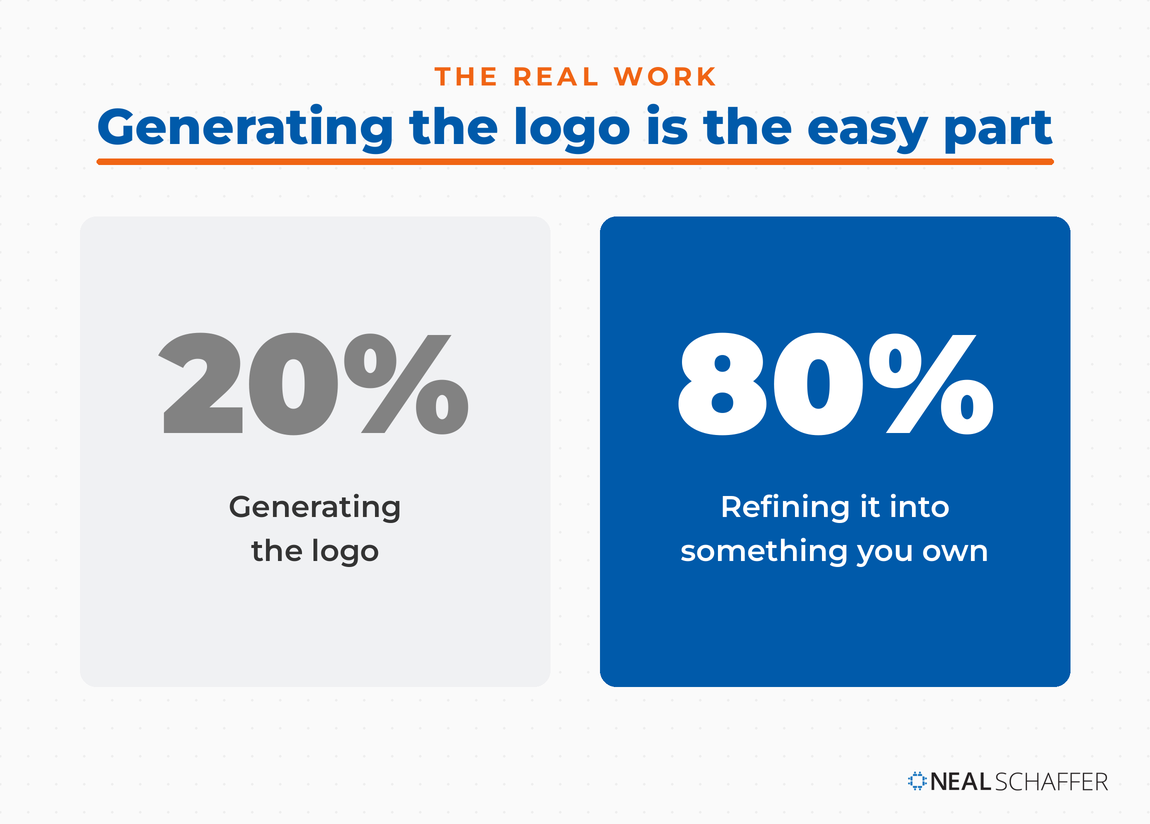 An AI logo creator handles the easy 20%, generating a picture in seconds. The other 80%, refining it into a file you can scale and legally own, is the part that actually builds a brand.
This is a wider problem than logos. On a recent episode of my podcast Your Digital Marketing Coach, I talked with Jim MacLeod, author of The Visual Marketer, about why so many marketers now have more design tools than ever and worse visual branding because of it. More tools without a plan just produces more inconsistency, faster.
How Does an AI Logo Creator Work?
Most AI logo creators fall into two camps. Image generators like Adobe Express and Canva use text-to-image models to draw a logo-style picture from your prompt. Brand-kit makers like Looka and Brandmark combine AI with template systems to output editable vector files, color variations, and matching assets. The difference decides what you can actually do with the result.
Image generators are the newer, flashier option. Adobe Express lets you describe a logo, choose from generated options using generative credits, and then customize the design in a full editor. Canva runs its logo generation through its Dream Lab model, free up to 20 times per month and more with Canva Pro. These tools share a family resemblance with any other AI image generator: they’re brilliant at producing something that looks like a logo, but the default output is usually a raster PNG. Raster files are made of pixels, so they blur when you scale them up and they can’t be cleanly recolored or reshaped.
Brand-kit makers solve the file problem. When you buy a logo from Looka, you get high-resolution files in vector formats like SVG, EPS, and PDF, plus color variations. You can also add a full brand kit with hundreds of templates. Brandmark works the same way, exporting to SVG, PNG, and PDF with a matching set of business assets. A newer tool, Logo Diffusion, runs a model trained specifically on logos. It produces clean SVG files with real layers you can open in Illustrator or Figma, not the auto-traced mess you sometimes get from converting a raster image.
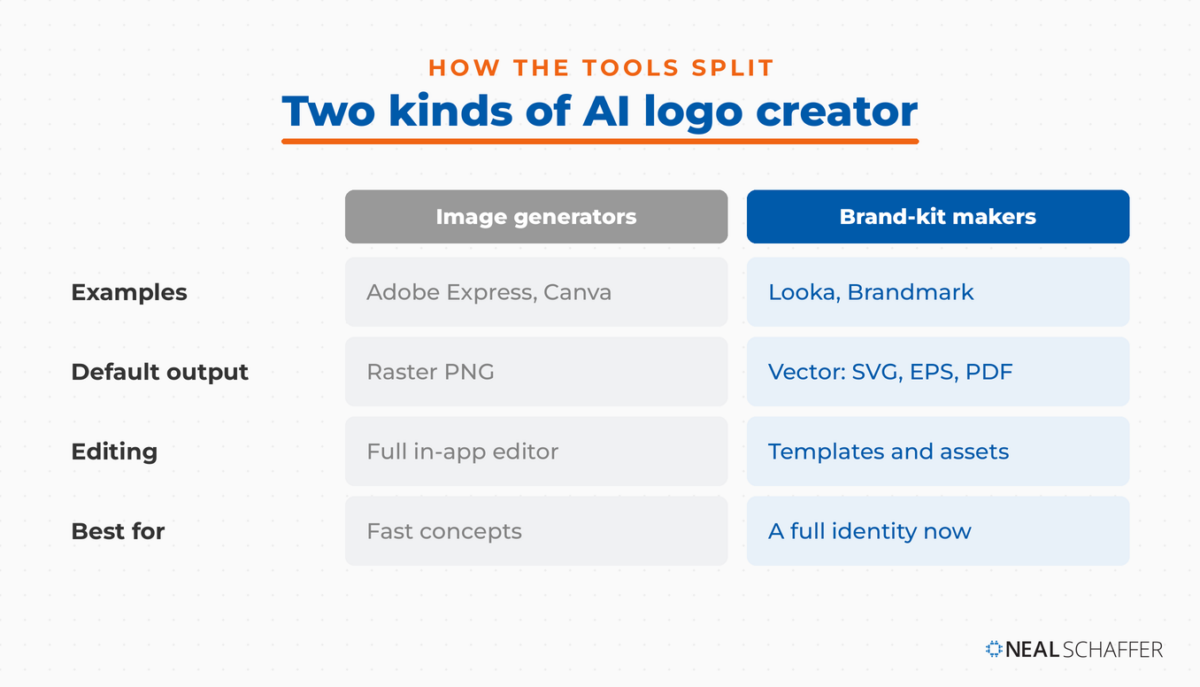 The two camps differ most on file format. Image generators output a raster PNG you edit in-app; brand-kit makers hand you scalable vector files. That one difference decides whether your logo survives a storefront sign.
| Tool type | What it does | Typical output | Best for |
|---|
| Image generator (Adobe Express, Canva) | Draws a logo-style image from your prompt | Raster PNG by default; edit in-app | Fast concepts, social graphics, founders testing an idea |
| Brand-kit maker (Looka, Brandmark) | AI plus templates that build a full identity | Vector files (SVG, EPS, PDF) after purchase | Businesses that need scalable files and matching assets now |
| Logo-specific model (Logo Diffusion) | Generates logos with editable vector layers | Layered SVG you can open in design software | Designers who want to refine the output further |
If you plan to pair your logo with a matching site, some of these platforms tie directly into an AI website builder so your colors and mark carry across automatically.
Which AI Logo Creator Should You Use?
For most people, I recommend starting with Adobe Express. It’s free to begin, it generates options from a prompt, and it lets you refine the result in a real editor. If you need vector files and a full identity set on day one, a brand-kit tool like Looka gets you there faster.
I’ll be transparent: I’m an Adobe Express ambassador, so I use it more than any other tool here. But my reasoning stands on its own. The editor is what matters. A logo you can only accept or reject is far less useful than one you can nudge, recolor, and adjust until it feels like yours. Adobe Express and Canva both give you that control, and Canva is the natural second choice if you already live inside it for social content.
Where the brand-kit tools win is the finish line. If you’re launching next week and you need a logo, a favicon, business cards, and social avatars that all match, Looka or Brandmark deliver that package in one sitting. That’s harder to assemble by hand from a raw image generator. There’s a whole category of tools worth knowing here, including the best AI tools I recommend more broadly.
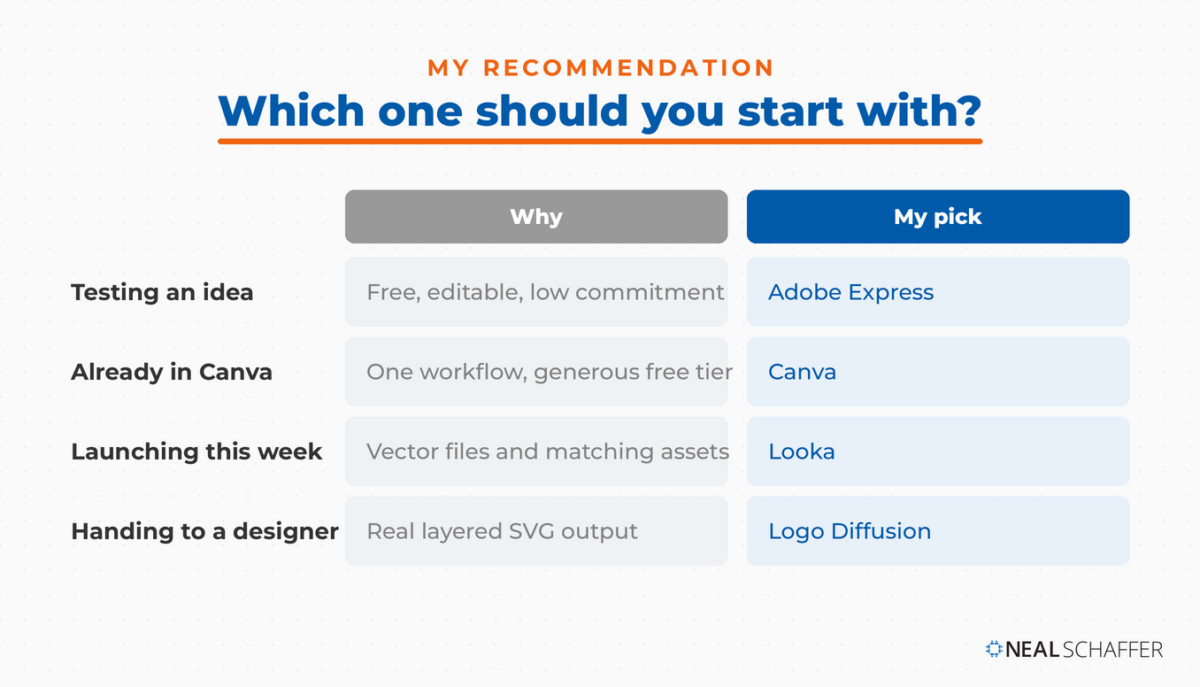 My default is Adobe Express: free to start, and editable in a real editor so the result feels like yours. If you need vector files and a full identity this week, a brand-kit tool like Looka gets you there faster.
| Your situation | Recommended tool | Why |
|---|
| Solo founder testing an idea | Adobe Express | Free to start, editable, no commitment |
| Already using Canva for social | Canva | One workflow, generous free tier |
| Launching a full brand this week | Looka | Vector files and matching assets in one purchase |
| Want to hand off to a designer | Logo Diffusion | Real layered SVG output |
How Do You Write a Good Prompt for an AI Logo?
A strong AI logo prompt names four things: your business or product, the industry, the visual style, and the color mood. Instead of “coffee shop logo,” try “minimalist wordmark for a specialty coffee roaster, warm brown and cream, clean geometric sans-serif.” Specificity is the single biggest factor separating a usable first draft from generic clip-art that could belong to anyone.
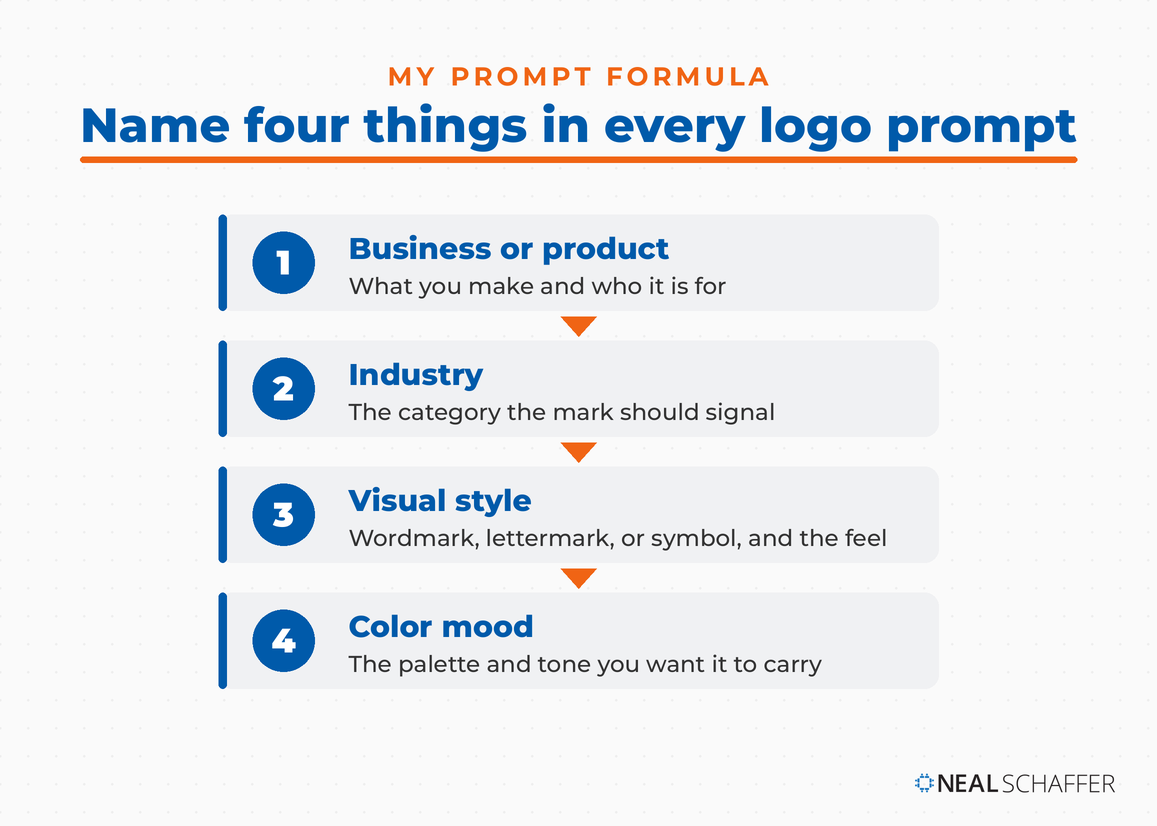 A strong logo prompt names four things: your business or product, the industry, the visual style, and the color mood. Specificity is the biggest factor separating a usable first draft from generic clip-art.
Add reference cues when the tool supports them. Adobe Express lets you upload style and composition references so the model borrows from a look you already like. Name the logo type too: a wordmark (your name in a distinct typeface), a lettermark (initials), or a symbol with text. Vague prompts produce vague, interchangeable results, which is how so many AI logos end up looking like the same three templates.
Iterate instead of settling. Generate a batch, pick the closest, then feed the model tighter instructions: “same mark, but thinner lines and a deeper navy.” If prompting is a skill you want to sharpen across your whole workflow, an AI prompt generator can help you structure better inputs, and the same discipline that improves your logo prompts improves everything else you generate.
Can You Copyright an AI-Generated Logo?
Not reliably. The U.S. Copyright Office requires human authorship for protection, stating that copyright covers “only material that is the product of human creativity.” In its 2025 report on AI copyrightability, the Office concluded that prompts alone rarely give a user enough creative control to count as the author. A logo you use as-is may not be legally yours.
I’m not a lawyer, and this is not legal advice, so treat it as a heads-up rather than a ruling. The practical takeaway is that editing matters. When you meaningfully modify an AI-generated logo, adjusting the composition, redrawing elements, and arranging it into a finished identity, you add the human authorship the Copyright Office looks for. That’s another argument for the tools with real editors, and for treating the raw generation as a starting point rather than a final deliverable.
The Digital Marketing Playbook for Small Teams
My latest book helps small businesses, entrepreneurs, and marketers bring search, email, and social together into one digital marketing strategy that actually compounds.
Drawing on my work as a Fractional CMO, Digital Threads turns complicated tactics into a clear, practical plan you can follow, whatever your budget or team size.
Grab your copy on Amazon and start weaving your own digital threads. Click the cover or the button below to get started.
Copyright and trademark are also different questions. A trademark protects a mark you actually use in commerce to identify your business, and it’s governed separately from copyright. Many businesses do trademark logos that began with AI assistance, but the AI-authorship wrinkle is a real reason to involve a trademark attorney before you build your whole brand on a generated mark.
What AI Logo Creators Still Can’t Do
AI logo creators are not for everyone. If you’re an established company that needs a defensible, one-of-a-kind trademark, a human designer is still the safer call. These tools also lean generic by default, so expect to refine colors, spacing, and typography before anything feels like it belongs to you alone.
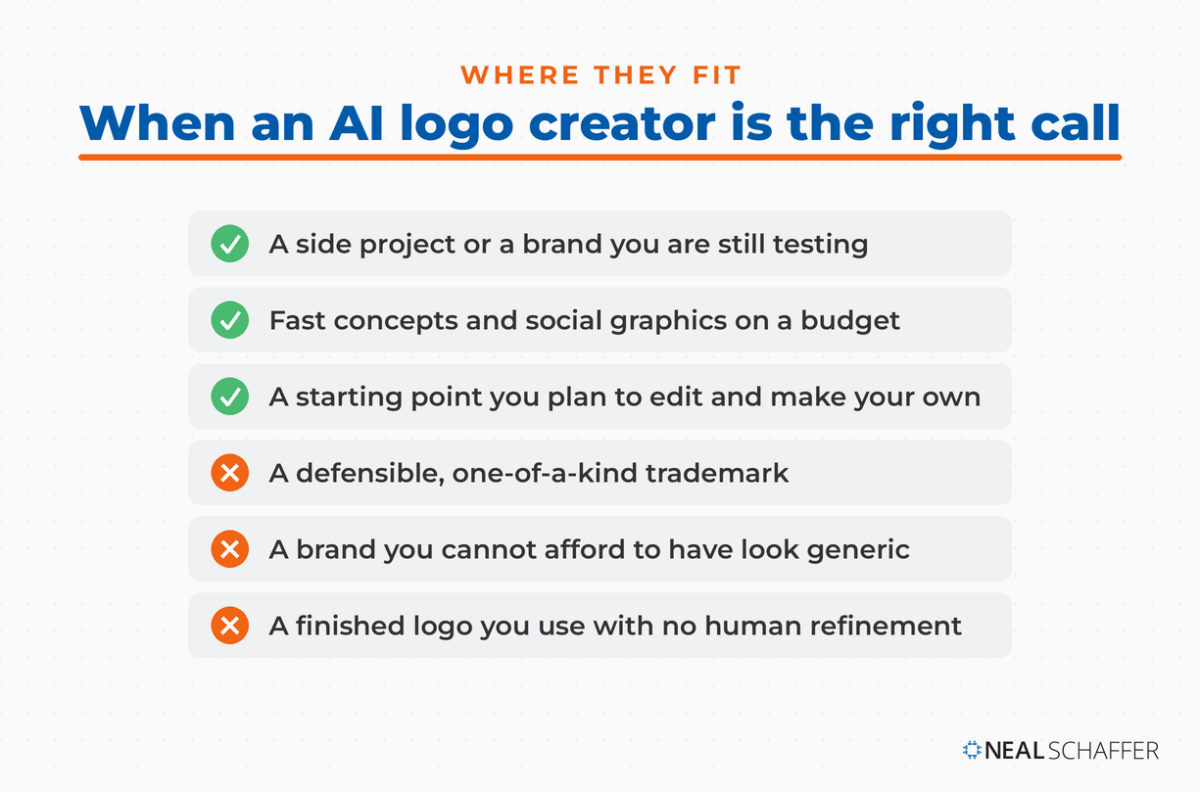 These tools shine for side projects, fast concepts, and starting points you plan to edit. For a defensible trademark or a brand that cannot look generic, a human designer is still the safer call.
The sameness problem is the big one. Because these models train on existing logos, they gravitate toward safe, familiar shapes: the swoosh, the leaf, the abstract geometric mark. That’s fine for a side project and risky for a brand you want to be memorable. Refinement is the fix. Run the output through an AI photo editor to clean up details, and use an AI image upscaler if you’re stuck with a low-resolution raster file and need it larger.
Remember that a logo is one thread of a brand, not the whole thing. Your brand voice, your colors, and your consistency across channels do most of the recognition work. Marq’s research links consistent brand presentation to a revenue increase in the 10% to 20% range, and the broader patterns behind that show up in the latest social media marketing statistics. A generated logo is where the work starts, not where it ends.
Frequently Asked Questions
What is the best free AI logo creator? Adobe Express is my pick for a free start: it generates logos from a prompt and lets you customize them in a real editor. Canva is a strong alternative if you already use it, with free logo generation up to 20 times per month.
Can I trademark a logo made by an AI logo creator? Trademark and copyright are separate. You may be able to trademark a logo you use in commerce even if it started with AI, but the copyright authorship question is a real complication. Edit the logo meaningfully and talk to a trademark attorney before you commit.
Do AI logo creators give you vector files? It depends on the type. Brand-kit makers like Looka and Brandmark deliver vector files (SVG, EPS, PDF) after purchase. Image generators like Adobe Express and Canva often output raster PNGs by default, which you’ll want to vectorize before printing large.
How much does an AI logo cost? Generating options is free on many tools. You typically pay to download high-resolution or vector files, often in the $20 to $65 range depending on the platform. Some tools, like VistaPrint’s logo maker, let you download editable files for free.
Are AI-generated logos unique? Each design is generated fresh, but because the models train on existing logos, outputs can look similar to one another and to real brands. Refine your favorite with custom colors, type, and spacing so it stands apart.
Ready to Build a Logo You Can Actually Use?
Start with a specific prompt, generate a batch in Adobe Express, pick the closest option, and then edit it until it feels like yours rather than the model’s. That editing step is what turns a generated image into a logo you can scale, own, and build on. Then apply it consistently everywhere your brand shows up.
If you want to go deeper on the tools that fit your workflow, my rundown of AI marketing tools is a good next step. And if you’d rather have expert help building a coordinated brand across every channel instead of piecing it together tool by tool, take a look at my fractional CMO services or grab a free preview of Digital Threads to see how the pieces connect.
Actionable advice for your digital / content / influencer / social media marketing.
Join 13,000+ smart professionals who subscribe to my regular updates.